
Cross-Disciplinary Column
Written and edited by: Aaron Lin (林耿呈), CEO, AIWin Technology Co., Ltd.
In 2017, Apple released the "iPhone X" to mark the tenth anniversary of the iPhone. The iPhone X replaced Touch ID with Face ID, which can be called a new milestone in the practical use of face recognition. Face recognition is hardly a new technology, but once redefined by Apple it gained new applicability, and that is what Apple does best. Face recognition is one application of image recognition: a camera and lens form an image on a device, and then image-processing algorithms turn the image data into useful information. It may not sound like much, but what actually happens is complex, and the author explains it step by step below.
Images inside a computer
Put simply, image recognition means capturing an image with a camera, running it through computer programs, and finally processing, analyzing, measuring and interpreting the image to extract useful information about the real object. Inside a computer, everything is data made of 0s and 1s, and a photograph is nothing but a mass of 0s and 1s. The computer has no idea what they mean. Unlike us humans, who through childhood learning and cognition can instantly connect what we see to the brain and recognize what it is, a computer simply cannot. So scientists developed image-processing algorithms to give meaning to those combinations of 0s and 1s stored in the computer. In the computer world, the smallest unit that makes up an image is called a pixel. Each pixel is composed of the three primary colors R (red), G (green) and B (blue); each primary color mostly uses 8 bits, giving grayscale values from 0 to 255, and different grayscale levels of the primaries combine to produce a rich range of colors. Every image is made up of pixels arranged in 2D; common resolutions such as 640X460 and 800X600 are ways of expressing image size.

An image is made up of many pixels
Image recognition algorithms
Common image recognition algorithms include image pre-processing, image segmentation, image representation and description, and object recognition. Pre-processing enhances image quality; common steps include sharpening, edge enhancement and boosting brightness and saturation. After pre-processing, the object we want to capture in the image is clearly enhanced and stands out. Next comes image segmentation: because pre-processing has already made the desired object stand out in grayscale, thresholding can be used to cut the object out. The segmented object then moves on to feature representation and description, and finally those features are classified to achieve recognition. Take face recognition as an example: pre-processing adjusts face images that are too bright or too dark; thresholding on the grayscale range of skin tones then extracts the face region; next, the features of the eyes and mouth are extracted and the distances between them described, and those distances serve as the features identifying an individual; finally, matching and classification against a database identifies who the person is.
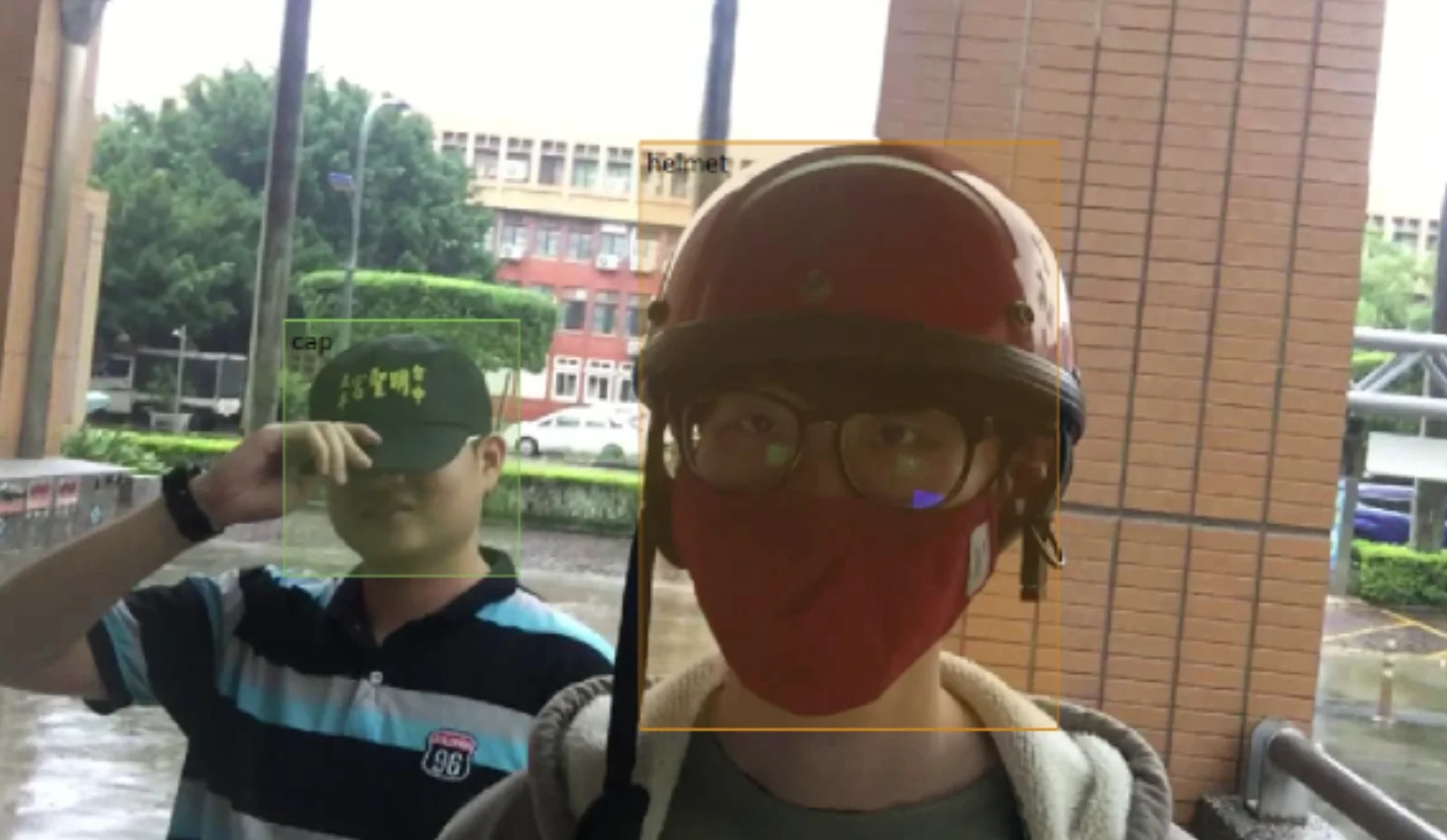
Identifying a suspicious person
Applications of image recognition
Beyond recognizing faces, image recognition is used in many fields: improving image quality in satellite imagery, medical imaging and the restoration of old photographs; poster design, animation and film special effects in graphic arts; measuring length, width, diameter, area, volume, shape and the distance between components; counting applications such as counting money, somatic cells, microorganisms and fish fry; automatic recognition such as product grading in inspection, defect inspection, microorganism identification, fingerprint matching and moving-object tracking; and positioning applications such as calculating the 2D or 3D coordinates of a target, image reconstruction and virtual reality. The range is remarkably wide. In recent years, breakthroughs in artificial intelligence and deep learning have made the applications above significantly more accurate and have given rise to many new types of application. We will take a closer look at artificial intelligence and deep learning another time.
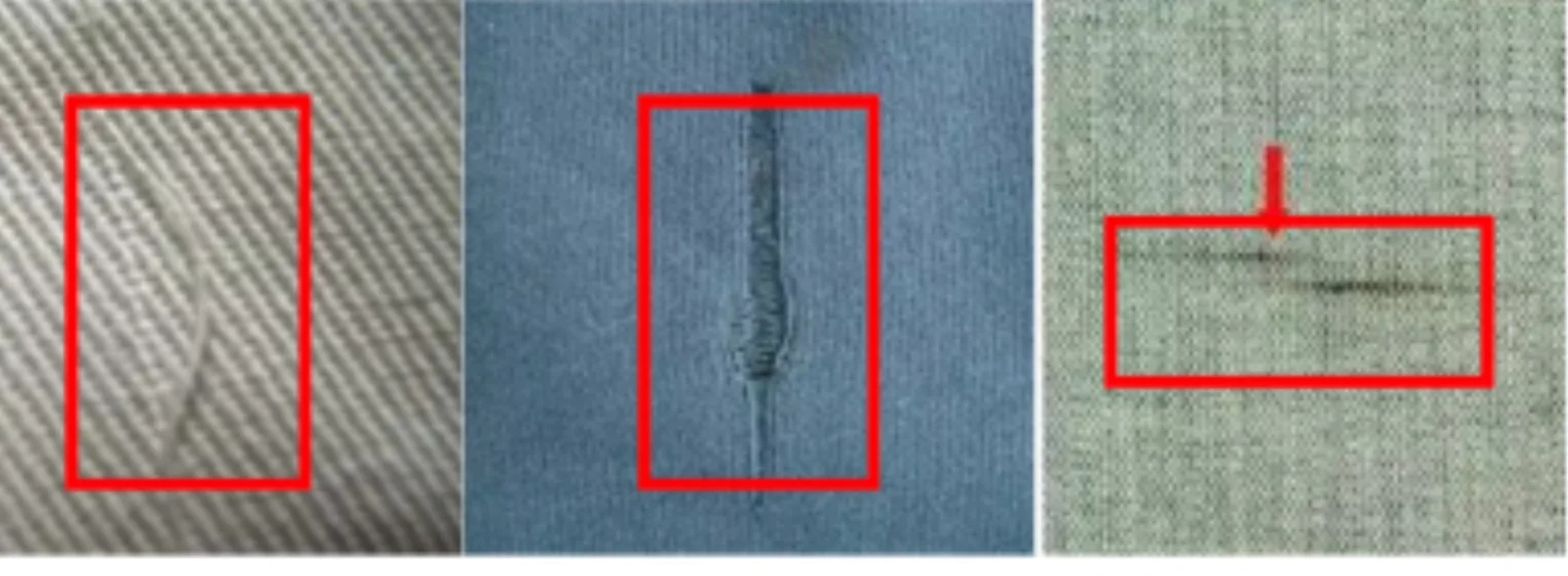
Textile inspection
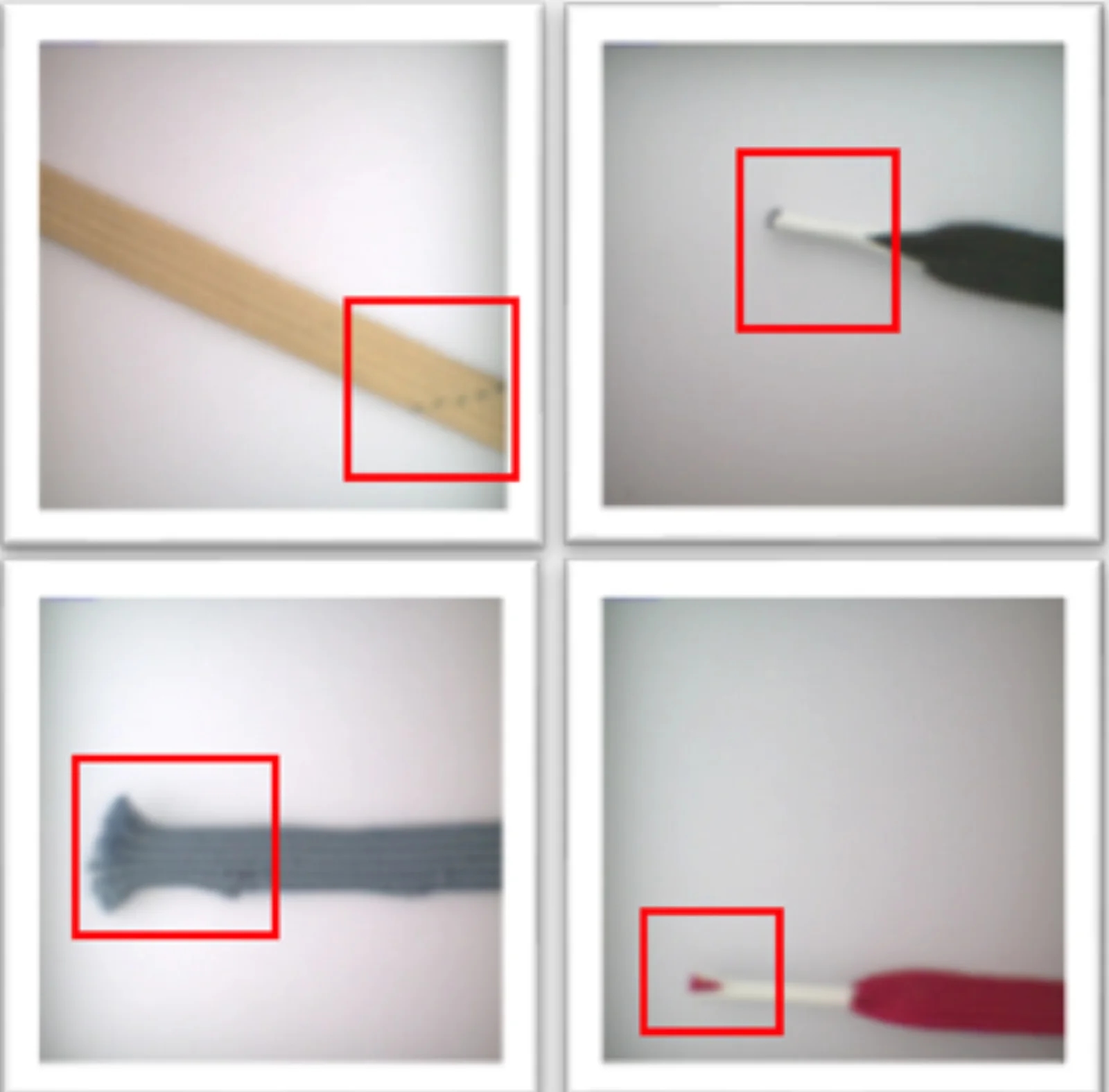
Shoelace defect inspection
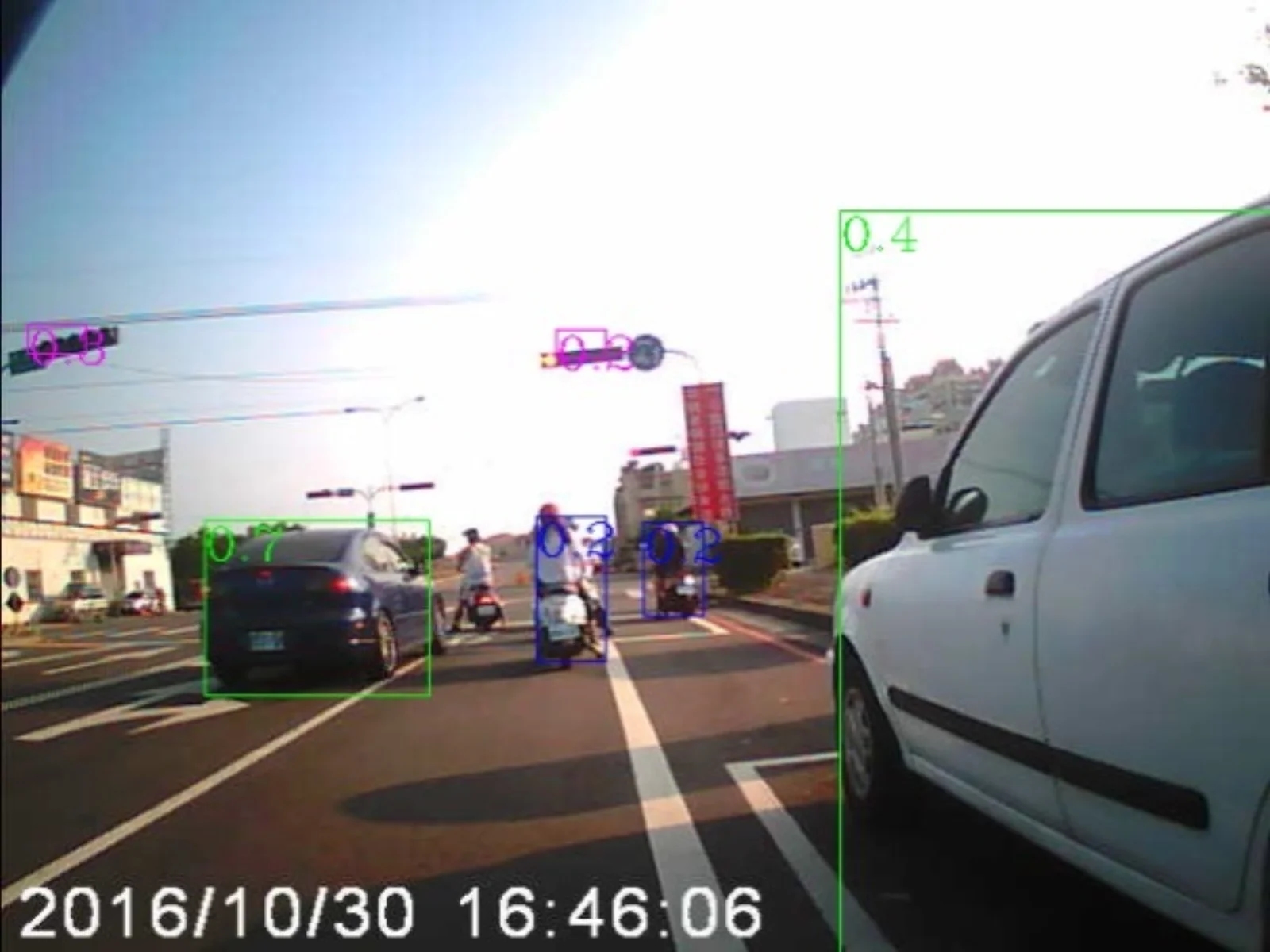
Forward vehicle image recognition